


TP Tool
So much more than triangles
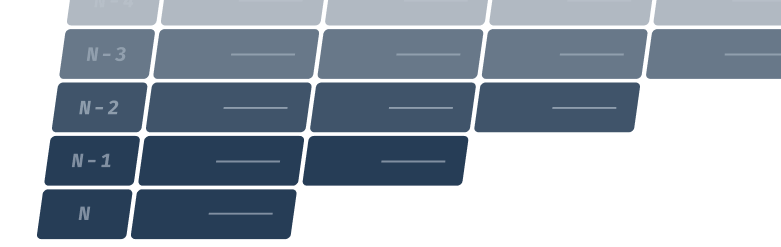
Our tool for calculating technical provisions, TP Tool, is made to complete a lot of practical work. So, you can speed up the processes setting the IBNR, discounting, valuating claim handling reserves and much more. You can even lightning-fast populate a whole number of complicated reporting templates with the automatic QRT-Generator.

Data Importer
Amazing integration possibilities


Risk Group Designer
Design your analysis structure

Statistical Engine
Automated reserving calculations
Reporting Processor (QRTs)
Lightning fast. All you need.
TP Tool also automatically builds triangles for your Solvency II reporting. It automatically populates QRTs like S.05.01, S.17.01, S.18.01, S.19.01, S.20.01, S.21.01, S.28.01, S.29.02 and S.29.03.

Actuarial rigour. Executive-ready results.
Built by actuaries for actuaries, TP Tool keeps assumptions, model choices, diagnostics and outputs transparent and traceable. CROs and CFOs get a clear line from underlying data to technical provisions and Solvency II reporting, making review and sign-off more efficient.

Automatic Currency Conversions
TP Tool offers a rapid and smooth currency conversion of the entire reporting package. Captives may wish to produce their reporting packages in the same currency as their financial statements. Nonetheless, Financial Authorities may require other reporting currencies for solvency II submission. TP Tool offers a lightning-fast conversion with automatic look-up at ECB for the conversion rate as at the reference date of the package.

Multi-Entity Support
Groups can define all their legal entities under their reporting tool account. You can easily produce reporting for all entities, and they will be naturally organised. If you prefer separated accounts with separated data as well for each legal entity, we provide easy access. One username – multiple access. You simply choose what entity you work with at logon. TP Tool makes it easy to work as a consultant for multiple insurance companies.
Switching to TP Tool
TP Tool: actuarial reserving software for IBNR and Solvency II technical provisions
TP Tool is technical provisions software for non-life insurers and captives. It quickly takes a portfolio from raw transactions to a signed off Solvency II submission inside one system.
From claim and premium transactions to triangles
Reserving in TP Tool starts at transaction level. Claim transactions and premium transactions are loaded as they are, millions of records at a time, and the tool checks them for completeness and inconsistencies before any calculation runs. In the Risk Group Designer the actuary defines homogeneous risk groups that match how the business is actually written. TP Tool then automatically builds run-off triangles for each group. The spreadsheet aggregation step that usually sits between the claims system and the reserving model is gone.
A complete reserving workflow
Once the triangles exist, the rest of the workflow is in the same place: best estimate reserves, IBNR calculation, premium provisions, claims cash-flow projections, discounting of technical provisions, inflation and claims-handling expenses. Reserve uncertainty is assessed next to the central estimate, so the sign off is based on a range rather than a point. The results flow straight into Solvency II reporting, and the audit trail from transaction to reported figure stays unbroken.
Transparent comparison of actuarial models
A range of standard models and development factors is available, including Chain-Ladder, Bornhuetter-Ferguson and fixed loss ratio estimates. They can be run side by side for each risk group, with diagnostics that show how each method reacts to the data. Every intermediate figure is visible, which makes the calculation easy to review and easy to explain to an auditor.
Solvency II QRT automation
TP Tool automatically populates the QRTs relating to technical provisions: S.05.01, S.17.01, S.18.01, S.19.01, S.20.01, S.21.01, S.28.01, S.29.02 and S.29.03. Currency conversion uses ECB rates as at the reference date, which matters for captives reporting in a currency other than their accounts. Groups and consultants can keep several legal entities under one login and switch between them at logon.
Deep learning model for claims reserving, currently in development
A generic deep learning model using both observed payments, case reserves and claim counts is being tested as an independent benchmark next to the classical methods. Its job is to challenge the actuary’s best estimate, not to replace actuarial judgement.
Getting started
A free, non-committal trial account is available for the full test and transition period, so you can load your own data and see the triangles before deciding anything. Contact us to request a trial or a demo.
